Cue2Keys 2 Features: The Second Generation Full Modular Keyboard
Table of Contents
- Top
- Cue2Keys 2 Features
- 1. Modular System for Free Addition and Layout
- 2. No Soldering Required, Cable Connections
- 3. Key Modules That "Move," "Stretch," and "Split"
- 4. Supports Both Mechanical and Magnetic Switches
- 5. Flexible Remapping and Parameter Changes
- 6. Freely Placeable 25 mm Trackball Module
- 7. Starter Set for When You Are Unsure About Configuration
- 8. Build and Customize It Yourself!
- Availability and Future Plans
- Closing
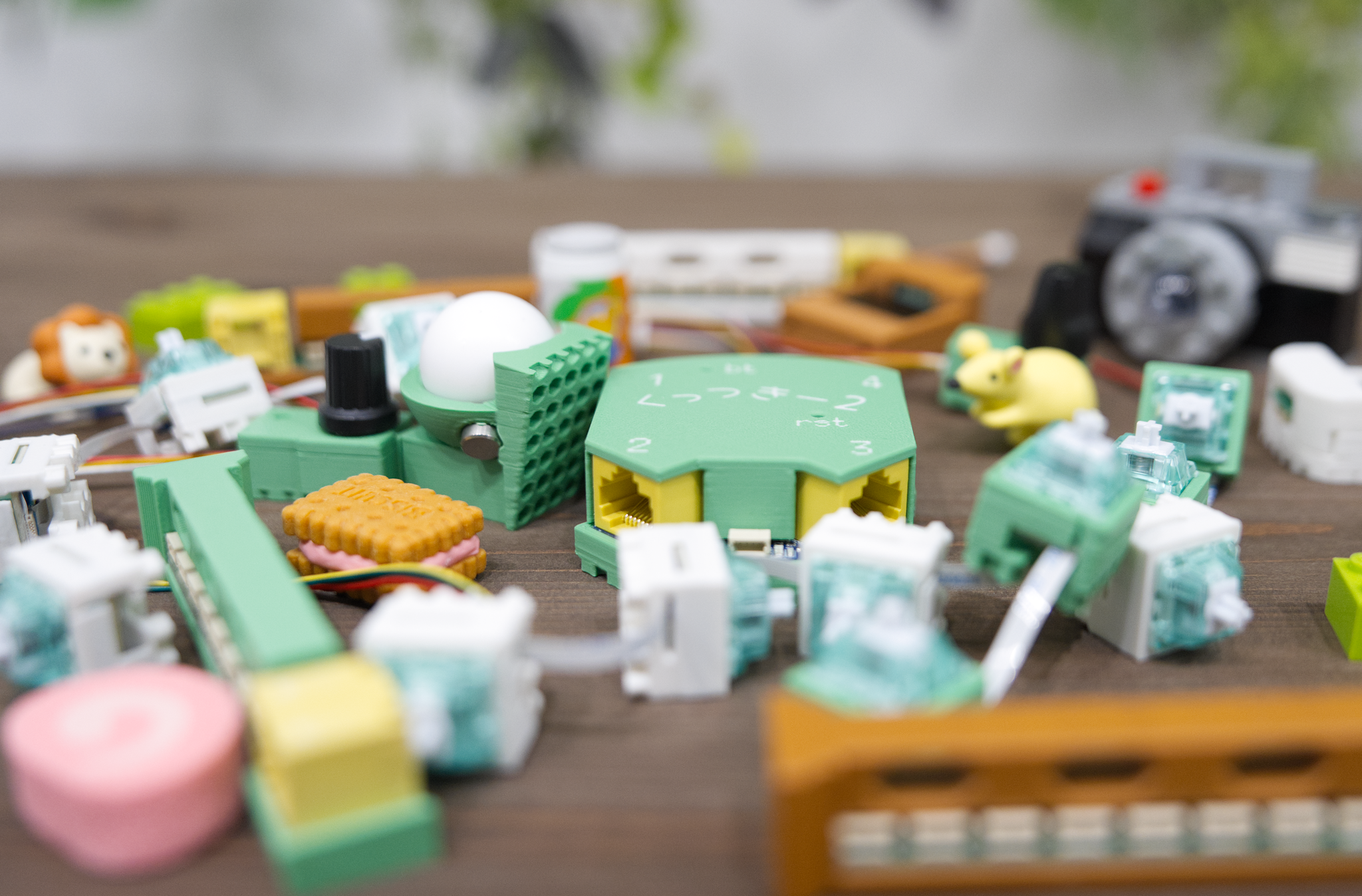
Cue2Keys 2 is a keyboard where each part is a module, allowing flexible changes to physical layout and parameters.
I think there are surprisingly many moments when you feel, "I want to change just this one part" on a keyboard.
Cue2Keys 2 addresses that challenge by modularizing the keys themselves, making additions and layout adjustments easier.
There are also operation modules such as a trackball and rotary encoder, so you can build the configuration you like.
In this article, I summarize and introduce the features of Cue2Keys 2.
Cue2Keys 2 Features
1. Modular System for Free Addition and Layout

Configured by combining modules
Cue2Keys 2 is built by combining the modules you need.
Because you can add or remove them later, you can adapt the configuration to each situation.
- Keys / magnetic keys (up to 160 keys)
- Trackballs (up to 4)
- Rotary encoders (up to 16)
- Display (up to 1)
You can try a 40% layout, then increase it to 60%, and before you know it make it 30% again... and reassemble extra keys into a numpad or a left-hand device.
The basic setup places modules on a dedicated base. It is sized to make one-hand modules easy to place.
The base lets you position modules at any location in roughly 5 mm intervals.

Recesses on the back of modules and protrusions on the base
It is a delicate balance: no wobble while typing, no falling off even when flipped over, yet still easy to remove.

Adjusted so they do not fall off even when flipped over
2. No Soldering Required, Cable Connections
In Cue2Keys 2, all modules are provided already soldered and with the necessary parts prepared.
You can use them after connecting cables and finishing initial setup.
The key modules also come with temporary key switches included. They are hot-swappable, so you can change to any switches you like.
However, keycaps are not included, so please prepare your preferred ones.

No soldering required, usable with cable connections
3. Key Modules That "Move," "Stretch," and "Split"
In Cue2Keys 2, each key can be moved independently.
You can adjust for finger length, place thumb keys where you want, or widen spacing from other keys for a larger pitch. There are many ways to use it.

Keys that can move independently
Keys are modularized in units of four, and spacing between keys can be extended from 0 to 25 mm.
You can also separate a 4-key module and use it as 2-key or 3-key units[1], making it easy to add just a few extra keys.
4. Supports Both Mechanical and Magnetic Switches
In Cue2Keys 2, key modules for mechanical switches and key modules for magnetic switches can be used together. Both are hot-swappable, so you can change to any key switches you like.

Module for magnetic key switches. Same shape as regular key switch modules
Even if you are interested in magnetic switches but changing everything feels like too much work, you can try changing only some keys first.
For magnetic key switches, for each key you can change the actuation point and release point in about 1,500 steps, and enable or disable rapid trigger[2].
5. Flexible Remapping and Parameter Changes
In Cue2Keys 2, various parameters can be changed dynamically.
I provide a dedicated web app, and you can easily change parameters from the browser.

Dedicated web app. You can view connected device info and other information, and update parameters
Key remapping can be done with REMAP and similar tools because it supports VIA.
You can do trackball angle and pointer speed adjustments in the browser, and also magnetic key switch reaction position and rapid trigger settings.
By reducing the effort of changing values, it becomes easier to iterate on tuning. I encourage you to chase the values that fit you best.

Magnetic key switch settings
6. Freely Placeable 25 mm Trackball Module

Trackball module
In Cue2Keys 2, the trackball can also be placed freely.
Place it by your thumb, or skip it and increase space for keys. The configuration is up to you.
The ball size is 25 mm, and ball transfer allows smooth movement in all directions.
Please try it in person and see for yourself.

Adjusted so they do not fall off even when flipped over
The ball does not fall out even when flipped over.
PTFE balls are included by default, but as long as it is 25 mm, you can swap in other balls too.
7. Starter Set for When You Are Unsure About Configuration
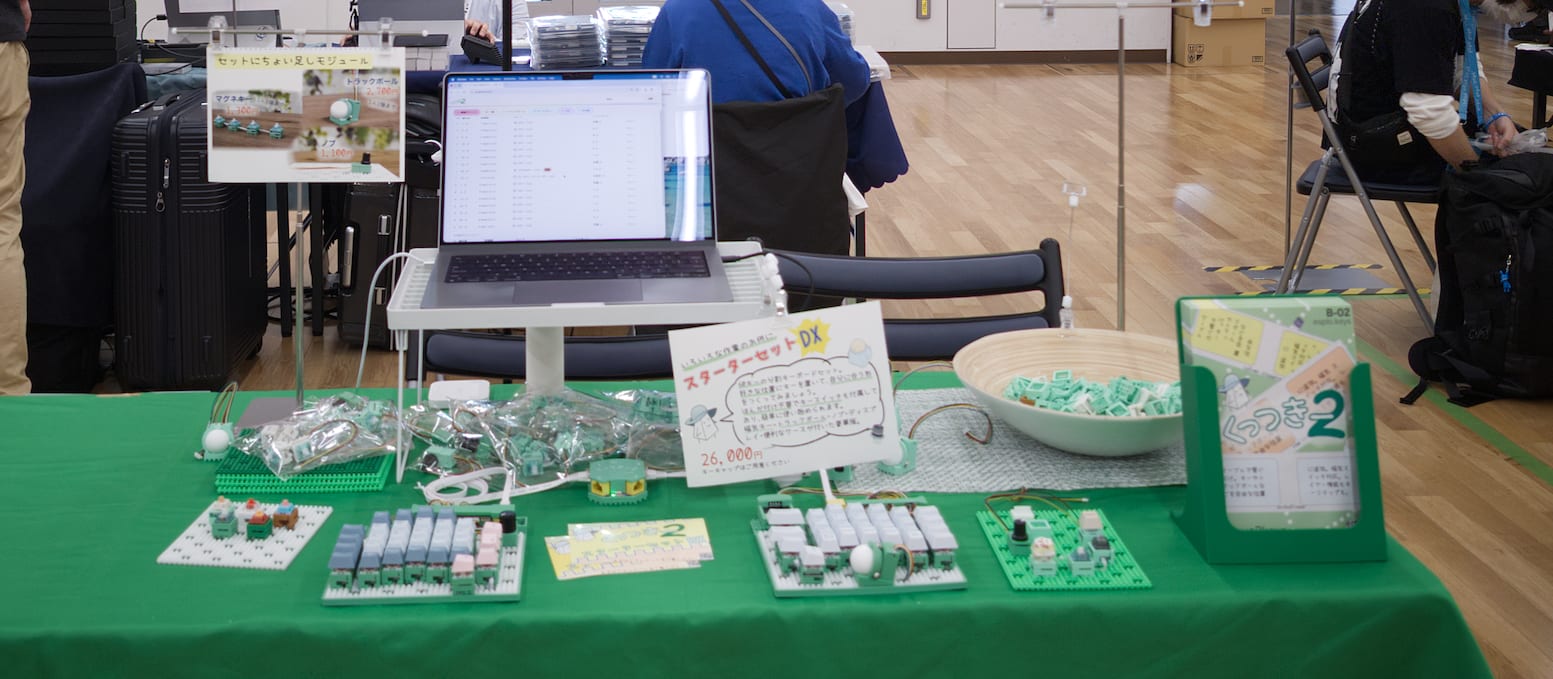
If you are not sure which modules to combine, I recommend the value-oriented starter set.
It is a set that can build about a 60% keyboard and includes everything needed for operation.
It includes 56 mechanical keys (14 modules), a trackball, a rotary encoder, and a display.
In addition, one magnetic key switch module is included as a bonus, so you can swap it in or add it to make a 60-key setup.
Additionally, an outer case is included with functions for base fixation and cable organization.
It comes in a layout that is easy to build a column-staggered setup, offered as the standard form of Cue2Keys 2. It can also be removed easily, so there is no problem if you do not use it.

With outer case for the base
The set is packaged in a self-standing carrying case with a handle. It perfectly fits both hands' worth in A4 size, is easy to carry, and has rigidity. It is shaped to be easy to take home even without a bag.

Packaged with an A4-size carrying case
8. Build and Customize It Yourself!
For Cue2Keys 2, I will release the firmware and case 3D models for free.
You can make a case in your favorite color, or rewrite firmware to add features you need.
You can also create various shapes by changing the base.
- Change height per key
- Add angle per key
- Create wide-pitch and yunomi-cup shapes
Difficulty goes up, but you can also create modules themselves.
I hope you try many kinds of customization.
Availability and Future Plans
Cue2Keys 2 will have its first sale at Keyket 2026 on 2026/03/28, and after that I plan to sell it on BOOTH.
As with the previous model, I also want to consign it to Yushakobo. I would be happy if you could try it in person.
Also, manufacturing is even more demanding than the previous model, so if stock runs out, I expect it will take about two months to prepare more.
I will post updates as needed on Cue2Keys SNS account (@cue2keys). I would appreciate it if interested people follow along.
Closing
Cue2Keys 2 is a full modular keyboard designed for high flexibility.
I think it is especially a good match for people like this.
- People who want to continuously adjust key positions and counts to match finger length and typing style
- People who want to try various configurations and layouts
- People who want to start with a minimal setup and expand gradually as needed
- People who want to introduce magnetic switches while testing them partially
If this interests you, I would be grateful if you follow the updates.
For now, I want to keep preparing steadily for the Keyket exhibition.
I wrote this article using the Cue2Keys 2 Starter Set.